
I'm just not convinced it matters that much
Google has added social media reporting to Search Console. As of the end of July it is switched on for everybody, worldwide, for free. The coverage has been enthusiastic, but mine is less so. The feature is real, it works, and it takes about ten minutes to set up, so there is no great harm in switching it on. But I want to be straight with you about what it measures, because the gap between what small business owners will assume this is and what it actually is happens to be enormous.
Let us start with the disappointing part, because everything else follows from it…
This is not analytics for your social media channels
The feature is called Platform Properties. What it reports is how content from your Instagram, TikTok, X or YouTube account performs inside Google, meaning Google Search, Google Discover and Google News. That is the whole scope. It is not a dashboard for your social accounts.
It will not tell you your follower count or how it is changing. It will not tell you reach, engagement rate, saves, shares, comments, story completions, watch time, retention curves, best time to post, or anything at all about the audience beyond which country they were in. It cannot tell you whether a post did well on Instagram, because it is not looking at Instagram. It is looking at Google looking at Instagram.
So if you were hoping Google had quietly built you a free replacement for the analytics tabs in the apps you already use, it has not, and it is not close. Your existing platform analytics remain the only place that measures how your social media actually performs as social media. What platform properties measure is one narrow slice: the number of times your social posts appeared in Google results, the number of times somebody tapped one, and the search terms they used to get there.
Which raises the obvious question
Is that slice worth measuring?
For most small businesses, I struggle to make the case. Three reasons.
First, the volume. People overwhelmingly find Instagram content on Instagram and TikTok content on TikTok. Google surfacing a social post to a searcher happens, and Google has been doing more of it lately, but for a local trade or shop in Warwickshire posting a couple of times a week it is a rare event. You should expect to open these reports and find a handful of impressions and possibly no clicks at all. That is not a bug. It is an accurate reflection of a channel that barely exists for you.
Second, and more importantly, the actionability. Suppose the report does tell you that someone reached your Instagram post by searching "bathroom fitter Rugby". What, precisely, do you do next? With a website you have levers. You can change a page title, rewrite the copy, improve the loading speed, restructure the internal links, add schema, build the page out properly. With a social post you have a caption and some hashtags, and you are publishing into a platform that has its own opinions about who sees what. There is no meaningful optimisation loop here. You can note that a topic resonated and make more of that sort of thing, which is advice you could have arrived at from your in-app analytics, faster and with more detail.
There is a third, slightly awkward point. If people are searching Google for what you do and landing on your Instagram profile, that is not unambiguously good news. You would generally rather they landed on your website, where you control the journey, the information, the enquiry form and the phone number, rather than a feed where the next tap takes them somewhere else entirely. Treating "Google sent someone to my Instagram" as a win, when what it may really be telling you is that your website is not doing its job, would be a mistake.
When it launched, and how the rollout went
Google announced Platform Properties on 7th July 2026 on the Search Central blog, in a post by Moshe Samet, Product Manager Lead for Search Console. It followed an experiment in December 2025 that fed some social channel data into the Insights report of existing website properties. That earlier version required you to already own a verified website, and it covered Facebook but not X. The July launch reversed that, dropping Facebook and adding X, which does rather suggest Google is still making this up as it goes.
The rollout was staggered over roughly three weeks. On launch day Barry Schwartz of Search Engine Roundtable found he could not add a property manually, yet an X profile had already appeared in his account uninvited. Google had also accidentally published the help documentation a few weeks early and then pulled it back down. On 29th July 2026 Google confirmed the feature was globally available to everyone.
Who can use it
Everyone. No country restrictions, no waiting list, and no follower minimum, which is a genuine point in its favour. You do not need a website either, which is the one part of this I think is properly significant: if your business exists only on Instagram, you can now get Google search data for the first time.
The supported platforms are Instagram, TikTok, X and YouTube. Facebook and LinkedIn are not supported. For a great many local businesses that removes the only platform they actually use. Google says four platforms are "the start" but has given no timeline, so plan on the assumption that Facebook is not coming. Each account is a separate property, and there is no combined view. If you want to compare three platforms you will be exporting three sets of data and joining them up in a spreadsheet yourself.
How to set it up
Credit where it is due, this part is easy. No code, no DNS records, nothing to change on your website.
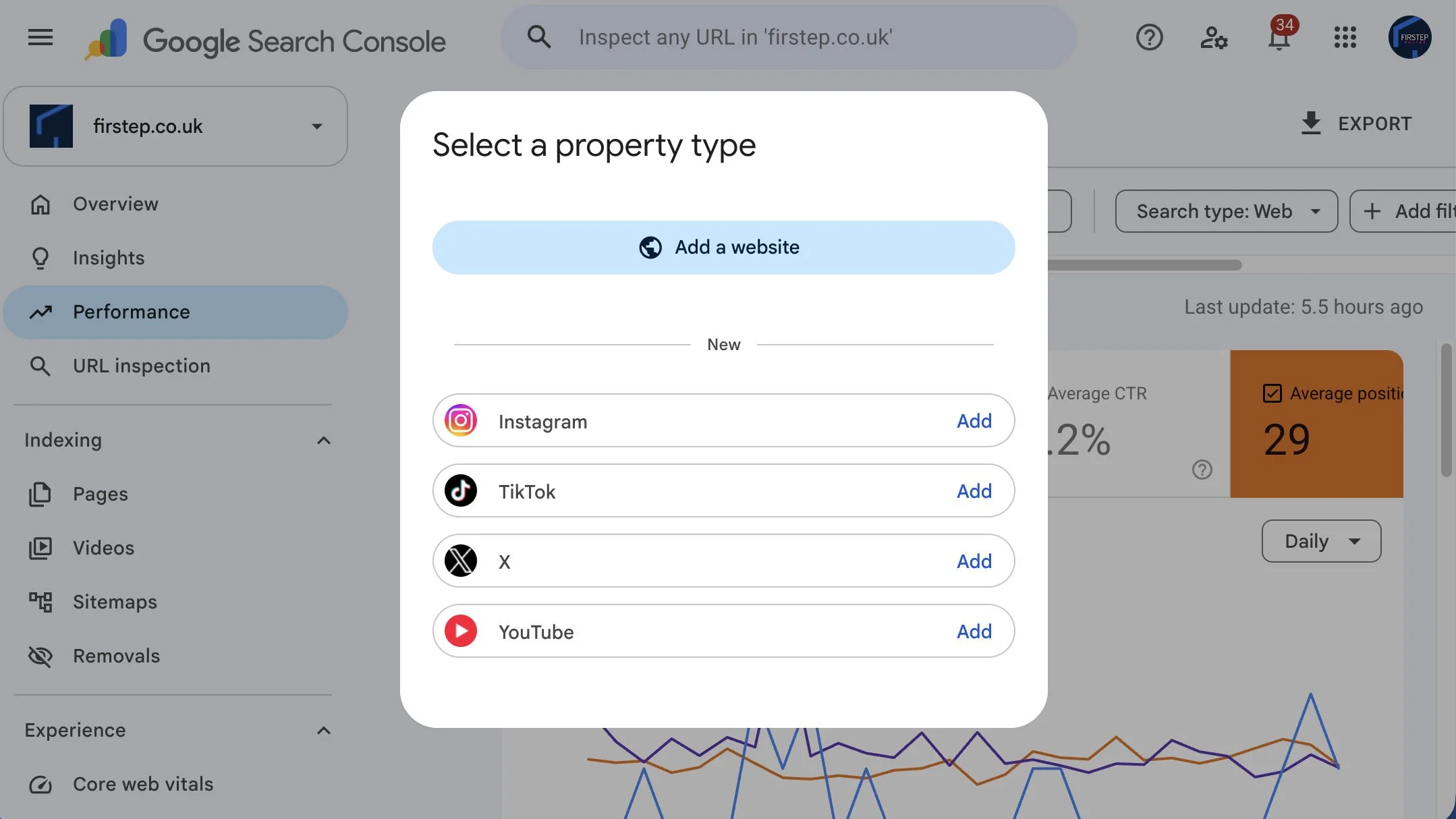
In Search Console, open the property drop-down at the top left and choose Add property.
Click Add next to the platform you want.
Sign in to that platform to authorise the connection.
Click Go to property.
Data takes a few days to appear, and it only collects from the moment you connect. There is no backfill. Nothing you posted before today will ever show up. That last point is the only real argument for doing this now rather than never, and it is why I would still bother. Ten minutes today buys you the option of having something to look at in six months. Ten minutes in six months buys you an empty report.
Two footnotes. Google re-checks the connection periodically, so if authorisation lapses the reporting pauses until you reconnect, although your history is kept. And only publicly visible content counts, so private or unlisted posts are invisible.
What you actually get
Three reports, which will look familiar if you have used Search Console for a website.
Performance gives you clicks, impressions, average click-through rate and average position, filterable by post, by query, by search type, by country and by date. This is the report with the search terms in it, and it is the only part of the whole feature I would call genuinely new information. Exports are capped at a thousand rows, which will not trouble anyone reading this.
Insights is the visual summary: a 28 day trend, top posts, the search terms bringing people in, countries, and a panel that clusters search themes into top, trending up and trending down. Worth knowing that Google's own documentation warns the headline number counts clicks across all of Google while the lists beneath focus on web search, so the figures will not add up. Do not lose an afternoon to that.
Achievements congratulates you when you cross a clicks threshold over 28 days. It is a gamification panel. Its purpose is to make you feel good about posting more, and it should be read in that spirit.
The default range is 28 days. Google has not published a data retention period for platform properties. Website properties hold a rolling sixteen months, but that has not been confirmed to apply here, so treat it as unknown.
A few more reasons to keep your expectations low
Connecting an account does nothing whatsoever to your rankings. This is measurement, not optimisation. If anybody tells you otherwise, check what they are selling.
Search Console data has always been approximate. There is a lag of a day or two, exports are capped, and a substantial share of clicks arrive with no search term attached at all. Ahrefs looked at 22 billion clicks across nearly 890,000 Search Console properties in April 2025 and found just under 47 per cent of clicks were anonymised, with no query reported. There is no reason to think the social data will be cleaner, and with far smaller numbers involved, that missing share hurts more.
Small numbers are also unstable numbers. If a report shows four clicks this month and eight next month, that is not a hundred per cent improvement in your social search performance. It is six clicks and some noise.
It is also worth asking why Google built this. Google does not own Instagram, TikTok or X, and it would clearly like to be the layer through which their performance is understood, and to encourage the people making that content to think of Google as a distribution channel worth optimising for. That is a perfectly rational business objective. It is just not the same thing as a tool built to answer a question small businesses were actually asking.
Do not confuse it with Search profiles
These launched a month apart and are being mixed up constantly. Search profiles are public, shareable profile pages appearing in Search and Discover, bundling a creator's content so people can follow them. They rolled out in the United States in June 2026, they remain US only, and they require at least 100,000 followers on YouTube, Instagram or X, or 300,000 on TikTok. Effectively no small business qualifies. Platform Properties are the private reports inside Search Console, open to everyone with no follower minimum. One is a shop window for people with large audiences, the other is a modest set of numbers for the rest of us.
What I would actually do
Set it up, once, for any of the four platforms you genuinely post to. It is free, it is quick, and because nothing backfills, connecting now is the only way to have data later. Then close the tab and forget about it for a few months.
Do not put it in your monthly reporting yet. Do not make decisions on the back of single figure click counts. And do not let it displace the work that reliably brings small businesses enquiries, which is still a properly configured Google Business Profile, a fast website that makes it obvious how to get in touch, and consistent local SEO.
Revisit it in the autumn. If your reports are showing real and growing traffic from Google to your social posts, brilliant, something has changed and it deserves attention. If they are showing almost nothing, you have learned for free that Google is not how people find your social content, which is genuinely useful, just not in the way the launch blog suggested.
The honest summary is that this is a small, well built reporting feature answering a question most small businesses did not have, and the enthusiasm around it says more about how starved we all are for free data than about how much this particular data is worth.
If you want a hand setting it up, or you would rather someone looked at your numbers and told you plainly whether they mean anything, get in touch.