
A link on a UK government web page about digital skills now takes you to a website advertising casinos for people who have tried to stop gambling. It isn't the result of a clever hack. Nobody broke in. It happened because the website it linked to closed down, its web address expired, and somebody else bought it.
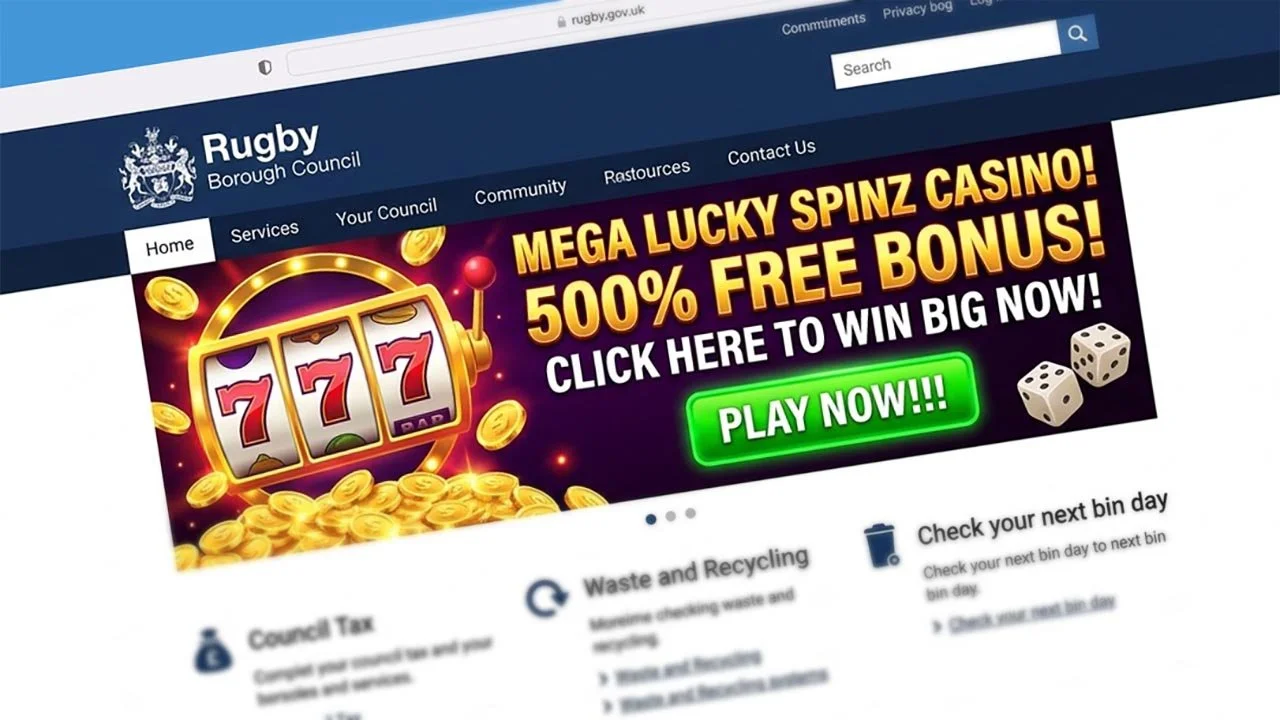
It's a story about councils and government departments, but the lesson applies to almost every small business website I've ever worked on. So let's have a look at what happened, and how to make sure your website isn't quietly doing the same thing.
From 2010, England had a network of local enterprise partnerships (LEPs), which brought councils and businesses together to support local growth. Many readers will remember them; Coventry and Warwickshire had its own. Their government funding ended in April 2024, and their work passed to councils and combined authorities.
When the LEPs closed, many of their websites closed too. But the links to those websites didn't disappear. They stayed on council, government and other public sector websites, pointing at web addresses nobody was renewing any more.
Digital Royalty, a digital consultancy that builds and maintains websites, went looking for these old links after spotting one on Surrey County Council's website that led to casino content. It found 93 links on 79 pages across 26 public bodies that now lead to gambling promotions, according to The Register.
The examples include a government page about the Digital Skills Partnership and the Hull City Council website, both linking to what was the Humber LEP website. That address now shows a site advertising "Independent Non GamStop Casinos UK". GamStop is the free scheme people can use to block themselves from gambling websites, so sites promoting casinos outside it are specifically targeting people who've tried to stop. A footnote on a Parliament web page and a Local Government Association document had similar problems.
It isn't just LEPs, either. Digital Royalty also checked 1,000 web addresses belonging to charities removed from the Charity Commission's register since December 2022. On 18 November, 52 of them (about 1 in 20) were showing gambling content.
Why would anyone buy an old web address?
Because of the links pointing to it.
Google treats links from other websites as a sign of trust, a bit like a recommendation. A web address that used to belong to a respected organisation might have hundreds of links pointing to it from councils, universities and the NHS. Buy that address when it expires, and you inherit all those recommendations, plus any visitors who click on the old links.
Nominet, which runs the .uk domain registry, told Civil Society that buying expired domains is "a legitimate and common practice." The problem comes when a domain "previously used in good faith" is bought and used for something dodgy.
What this has to do with your website
Most small business websites have links to other websites. There's usually a "useful links" or "partners" page, or links to suppliers, trade bodies, local groups, a charity you support, a funding scheme, a networking group, or an event from a few years ago. The internet changes much faster than those pages get updated.
Most of the time, an out-of-date link just leads to an error page, which is mildly annoying for your visitors. In my article Google Says 404 Errors Aren't Scary. But Your 404 Page Might Be. I explained why that's not a disaster. But a link that now leads somewhere unpleasant is a different matter. If a customer clicks a link on your website and lands on a casino, a scam or something worse, they won't blame the website that changed hands. They'll remember yours.
In my opinion, it's also not a great look to Google. Google's guidelines are clear that it wants websites to be helpful and trustworthy, and a page full of links to spammy websites doesn't help that impression.
How to check your own links
The simplest way is the old-fashioned one: go through your website and click every link that goes to another website. On most small business sites, that's an afternoon's work at most, and often a lot less. Start with your "links", "partners" or "resources" pages, your footer, and any older blog posts or news articles.
For each link, ask: does it still go where I expect it to? Does that organisation still exist? Is the link still useful to my customers?
If clicking through everything sounds tedious, there are free tools that will check a whole website for broken links, and Google Search Console can help too. But be aware that broken link checkers only find links that don't work. A link that's been taken over by someone else works perfectly well. It just goes somewhere new. That's why a quick look with your own eyes is still worth doing.
When you find a bad link, either update it to the right address or remove it. If the organisation has closed, it's usually best to remove the link and, if it matters, just mention the name in plain text.
The other side of the story: your own web address
There's a second, and in my opinion more important, lesson here. Everything above happened because somebody let a web address expire. That could happen to you.
Your domain name (the yourbusiness.co.uk part) has to be renewed, usually every year or every few years. If the renewal fails, because a card has expired, the reminder went to an old email address, or the person who registered it has left, it can lapse. And once it lapses, anyone can buy it. That includes people who'd like the links pointing to your website, the customers who still type your address in, and possibly any emails sent to your business email address.
Last week, in Mozilla Is Deleting 54,000 Websites on 30 November. Could You Rescue Yours?, I suggested checking who owns your domain. While you're doing that, I'd add three more checks: make sure auto-renew is switched on, make sure the card on the account is in date, and make sure the renewal reminders go to an email address someone actually reads.
If you ever close a business, change your name or merge with another company, Digital Royalty's advice is worth repeating: keep paying for the old domain for a few years. As its founder Alexander De Sousa put it, "it's a tiny cost."
A ten-minute job for this week
Log in to wherever your domain name is registered and check the renewal date, the auto-renew setting and the payment card. Then open your website and click the links on your links or partners page, if you have one. That's it. Ten minutes, and you'll know you're not about to become next week's cautionary tale.
Need a hand?
If you'd like me to check your website's links for you, or help you get your domain name into your own name with auto-renew switched on, I'm happy to help. I build and look after websites for small businesses in Rugby, Warwickshire and further afield. Just get in touch.