
Have you ever looked at your Google Business Profile and found a "Book" button you didn't put there?
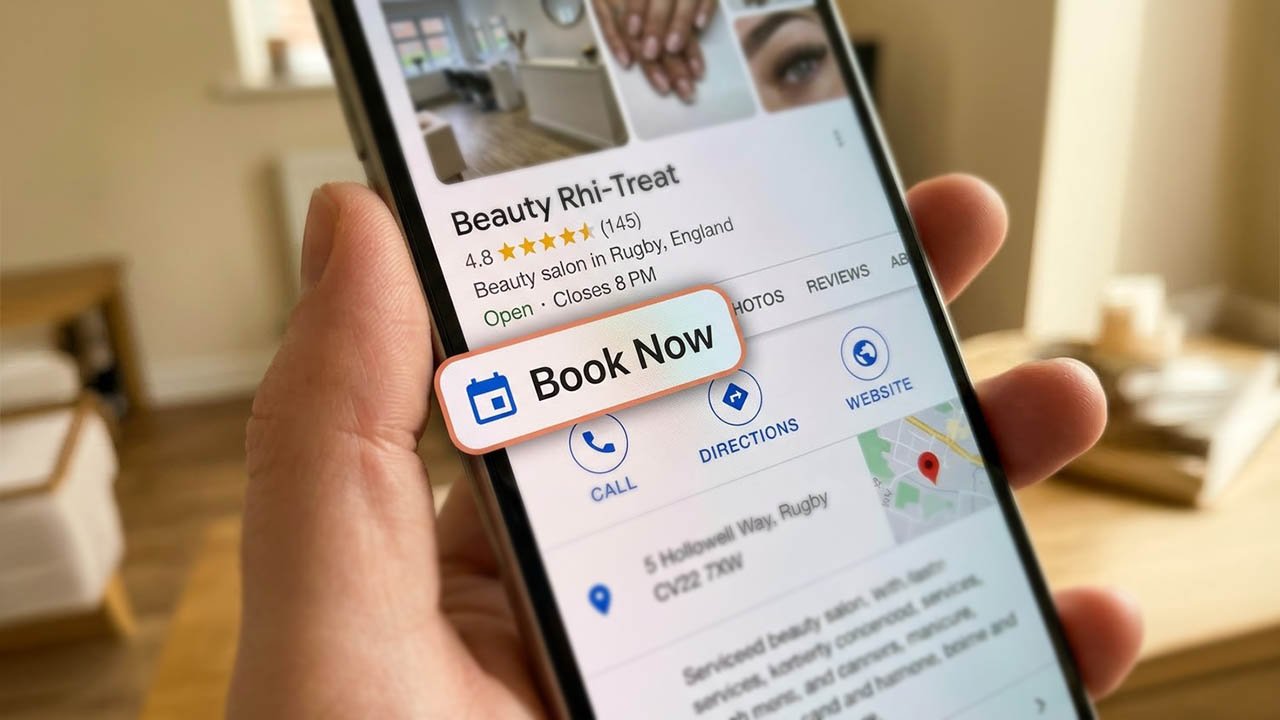
It happens more often than you'd think. Salons, barbers, physios, gyms, restaurants and plenty of other businesses find that a booking or reservation link has appeared on their profile through a third-party booking app. Sometimes it's an app they used years ago. Sometimes it's one they've never heard of. And until now, getting rid of it has meant chasing the booking company and hoping they'd get round to it.
This week, Google announced that's changing. Businesses can now choose which third-party booking and reservation links appear on their profile, and switch off the ones they don't want, straight from their own dashboard.
What's changed
The news came from Lisa Landsman at Google, who posted on LinkedIn: "First food delivery, now appointments and reservations! You now choose which booking links appear on Google." She said businesses get the "exact same self-serve control to appointment bookings and dining reservations on your Google Business Profile" that restaurants were given for food delivery links in October.
She was clear about who it's for: "Whether you run a salon, clinic, fitness studio, local service business, or restaurant, you now decide which booking buttons appear on your listing right from your dashboard." If a booking partner no longer suits your fees, staff or way of working, you can toggle it off, and turn it back on again later if you change your mind.
How it used to work
To understand why this is welcome, it helps to know how these buttons get there in the first place.
There are two kinds of booking link on a Business Profile. The first kind you add yourself: you paste in a link to your own booking page (Calendly, Setmore, your website or whatever you use). The second kind comes from third-party booking companies that have an arrangement with Google, sometimes called Reserve with Google. If one of those companies says it works with your business, its booking link can appear on your profile automatically.
That's handy when it's a service you actually use. It's less handy when it's a service you stopped using two years ago, or one that charges you a fee for every booking when you'd rather people booked direct. Until now, Google's help page has said you "cannot manually delete third-party booking or reservation providers directly from your Business Profile settings." Instead, you had to contact the provider, wait up to five working days, and then report it to Google if nothing happened (Google Business Profile Help).
A word of caution about availability
At the time of writing, Google's UK help page still describes the old method, so the documentation hasn't caught up with the announcement yet. When restaurants were given the same control for food delivery links in October, Google's help pages were also slow to update.
Google hasn't announced exactly which countries have the new booking switch. My suggestion is simply to look in your own profile (I'll explain where below). If you can see the option, brilliant. If not, the old route of contacting the provider still works, and it's worth doing anyway if there's a link on there you don't want.
How to check your booking links
Sign in to the Google account that manages your profile, then search for your business name on Google. Your profile tools should appear at the top of the results. Look for Booking (or Bookings), which is where your booking and reservation links live. On Google Maps, it's under Edit profile.
Have a look at every link that's listed and ask three questions. Do I actually use this service? Does it show accurate availability, prices and services? Would I rather customers booked another way?
If you have more than one link, Google also lets you set a "Business preferred" link, which appears first. If you'd prefer people booked through your own system rather than a third-party app that takes a cut, this is worth setting.
And then, if you've got the new controls, switch off anything you don't want.
Why this matters more than it used to
A booking button that leads to the wrong place isn't just untidy. It can lose you customers.
If someone clicks "Book" on your profile and lands on an app showing no availability, they won't ring you to check. They'll go back to Google and book with the next business on the list. If the link goes to an app you've stopped using, the booking might go into an inbox nobody checks, and you'll find out when an annoyed customer turns up.
This is likely to matter more over the next year, too. Earlier this month, Google added a feature to Ask Maps (the AI chat inside Google Maps) that can find available appointments for customers. It's launching in the US first, but Ask Maps itself is starting to reach the UK. Features like that rely on the same booking information. If it's wrong, the AI will happily send people to the wrong place.
And with Christmas parties, festive haircuts and New Year bookings all on the way, Landsman suggested the same thing I would: "take two minutes this week to check your Booking section so every link leads to accurate availability and a smooth customer experience."
Two other Business Profile changes this week
While you're in your profile, there are two smaller bits of news worth knowing about.
Google has simplified the form you use to appeal if your Business Profile is suspended. It's now a single form rather than a series of steps, and according to Ben Fisher of Steady Demand, you get a case number in less than 30 seconds . Hopefully you'll never need it, but if you do, it should be less of a slog.
And if you search for your business this week and see "No reviews" next to it in the map results, don't panic. Search Engine Roundtable has spotted that Google is wrongly showing "No reviews" for some businesses in the local results, even though their reviews appear when you click on the listing. Google hasn't commented yet, and it doesn't affect everyone, but it does look like a bug on Google's side rather than anything you've done. Your reviews haven't gone anywhere.
A quick pre-Christmas profile check
Since you're there anyway, here's what I'd check before the end of the month: your booking links, as above; your Christmas and New Year opening hours (use the "special hours" option, so your normal hours stay as they are); your phone number and website link; and your services and prices if you list them. It's ten minutes well spent at the busiest time of year.
Need a hand?
If you'd like someone to look over your profile for you, or you've found a booking link you can't get rid of, I'm happy to help. I set up and look after Google Business Profiles for local businesses in Rugby, Warwickshire and beyond. Just get in touch.